A safe place to live
a financial lifetime.
Two views of the same product — what a student does inside the simulation, and what a teacher does to run a class. Skim either side, or both.
You start at eighteen.
You end up wherever your choices take you.
Each session of the simulation is one fictional life — a single path through a working adulthood. No two runs are alike, because real economic data, real market returns, and real probabilities of random events shape every year.
Set the starting line
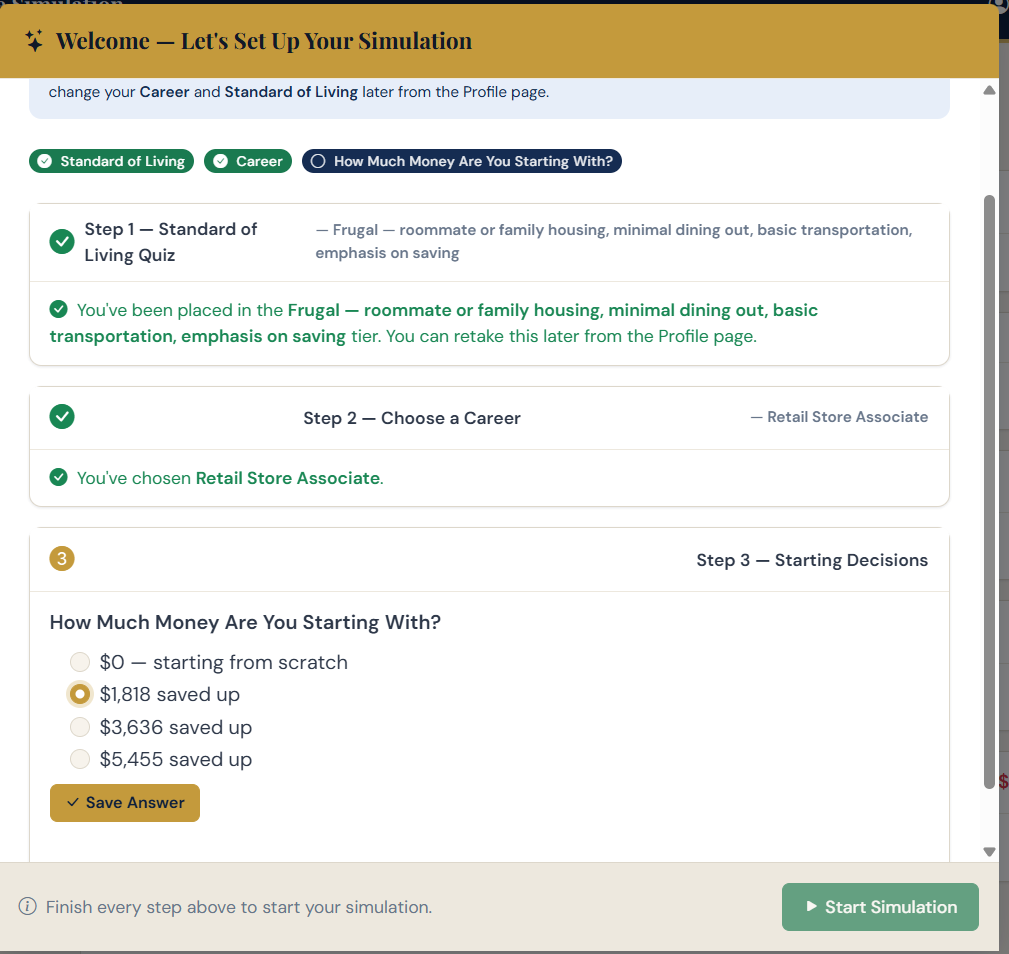
Pick a starting career, a standard of living to aim at, and how much cash you walked out of high school with. The simulation uses these to seed your first year.
The choice matters — but it isn't permanent. Careers can change as you go, salaries grow, and your standard of living can be raised or lowered as life happens.
Live a year
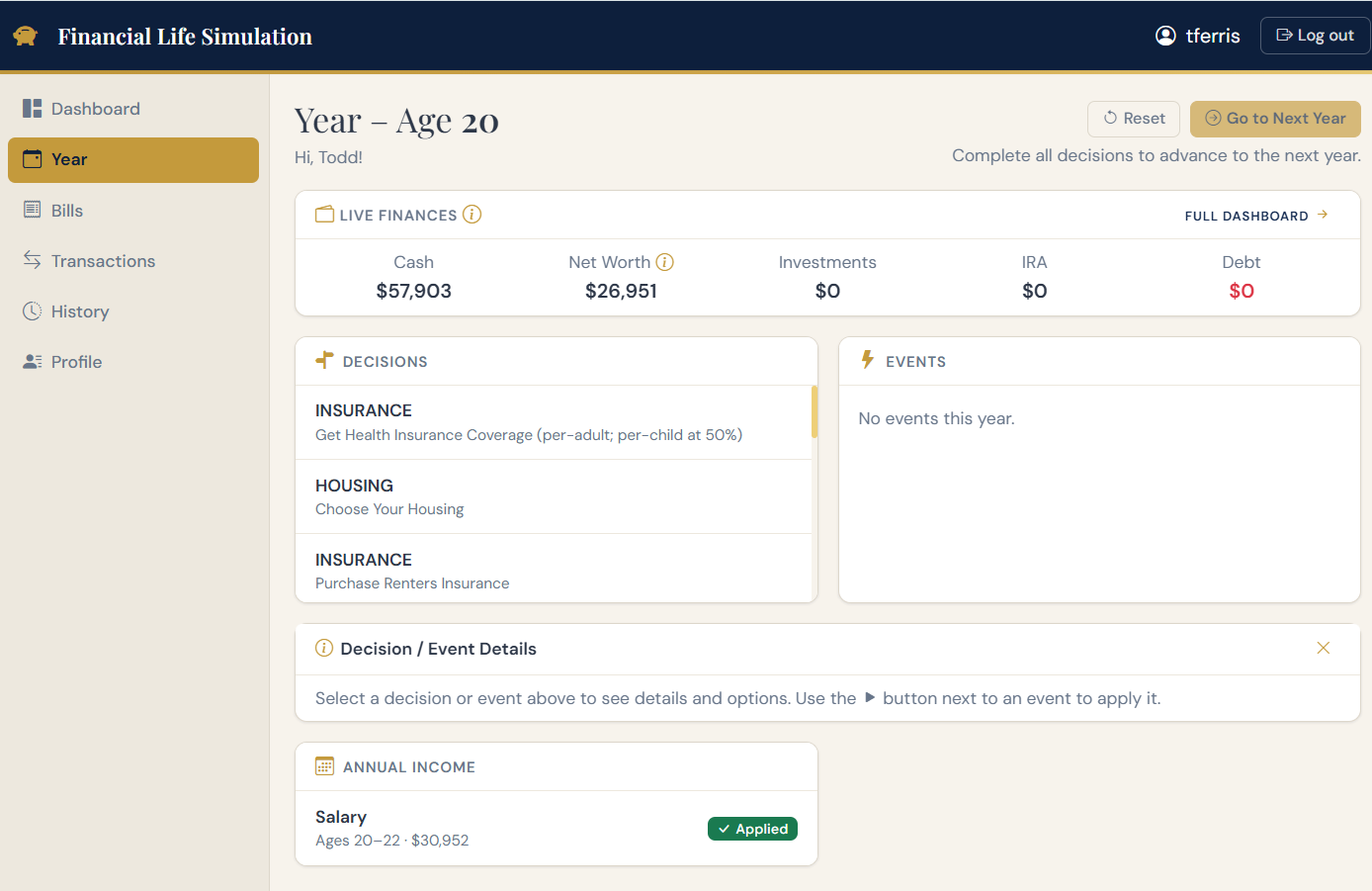
For each year of life, the simulation asks the questions a real year asks. What kind of housing? What car? What insurance? How much to save, and where to invest it?
Decisions apply when you click them, so you can watch the impact ripple through the year. The events you didn't pick still occur at year-end — including inheritances, gifts, and surprises that change what you can spend.
Weather the unexpected
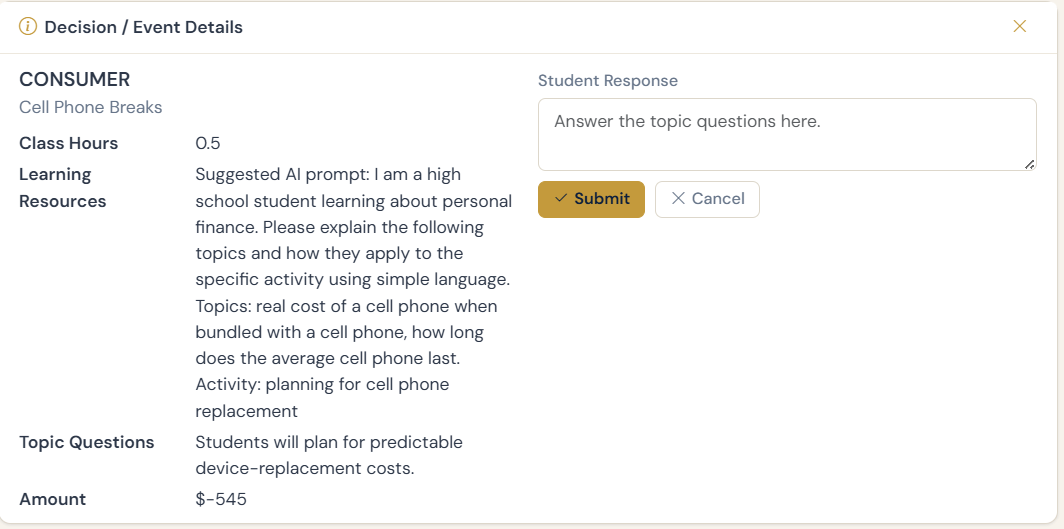
Real probabilities drive what happens. A minor car accident. A medical bill. A promotion. An economic downturn that takes the markets with it. The simulation uses 1980–2024 actual stock and bond returns as the investment pool, so your portfolio behaves the way a real portfolio would have.
No two runs are identical. Two students with identical opening choices will diverge within a few years, and that's the point.
Then run it again
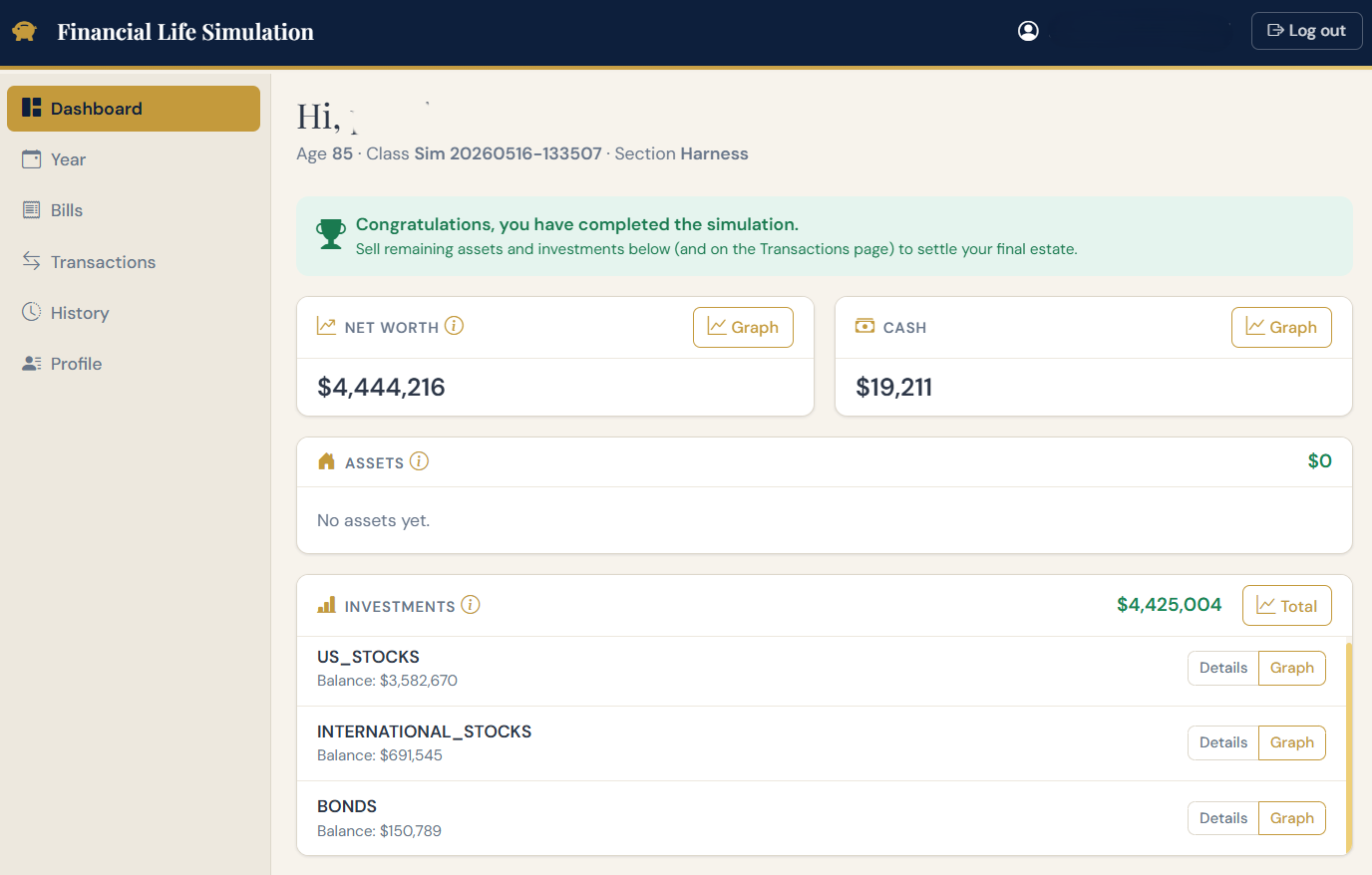
The most important learning happens on the second run. With the same starting conditions but different choices, students watch outcomes change — sometimes dramatically. The question moves from “what should I do?” to “why did this decision matter that much?”
That's where the concepts start to land. Compound interest stops being a chart in a textbook and starts being something they watched happen.
What it covers, and what it doesn't.
The simulation focuses on the personal-finance fundamentals a typical adult uses between 18 and 85. It is intentionally not a comprehensive reference — it's the place where students apply what they learn elsewhere.
✓ What's inside
- Career income and progression, including raises and job changes
- Housing — rent, buy, mortgage interest, property taxes, maintenance
- Transportation, insurance, healthcare, taxes
- Debt — student loans, credit cards, auto loans, mortgages
- Broad-market investing (US stock, US bond, foreign stock)
- 401(k), Roth and Traditional IRA, employer matches
- Emergency funds, savings habits, and life events
- Retirement planning basics & drawdown
— What it isn't
- Picking and trading individual stocks
- Starting and running an entrepreneurial business
- Detailed tax-optimization strategy or estate planning
- Advanced retirement planning (annuities, Social Security claiming strategies, etc.)
- Real-estate investing beyond owning a home
- Crypto, options, derivatives
Each topic covered in the simulation ships with recommended prompts you can paste into ChatGPT, Claude, or any AI assistant to study the concept itself. The simulation is where students apply the material — the reading and explanation lives where it always has.
One dashboard.
Your whole class.
The teacher view is built for a working classroom: roll a class, watch progress, grade reflections, and bend the catalog of decisions and events to match what you're teaching.
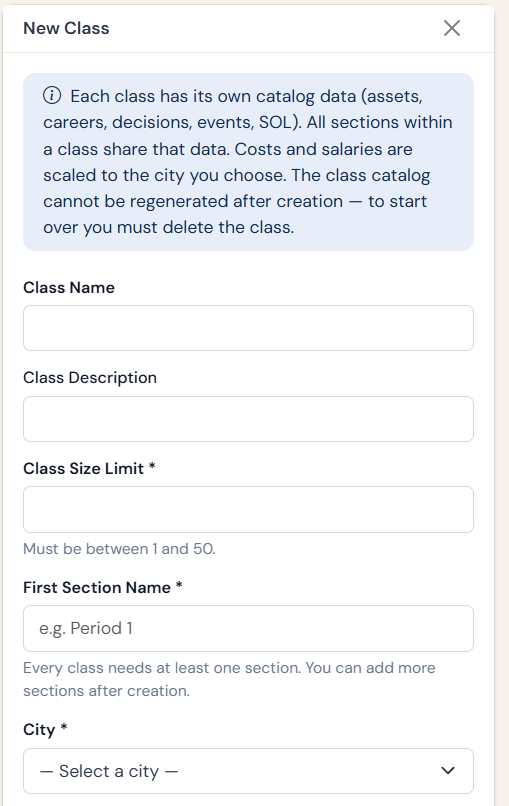
Create a class, anchored to a city
Each class is tied to a US city. The cost-of-living adjustment for that city flows into every price in the simulation — rent in Boise looks different from rent in San Francisco, and that's deliberate.
Students sign in to the class with credentials you provision, so you control the roster.
Monitor, grade, and respond
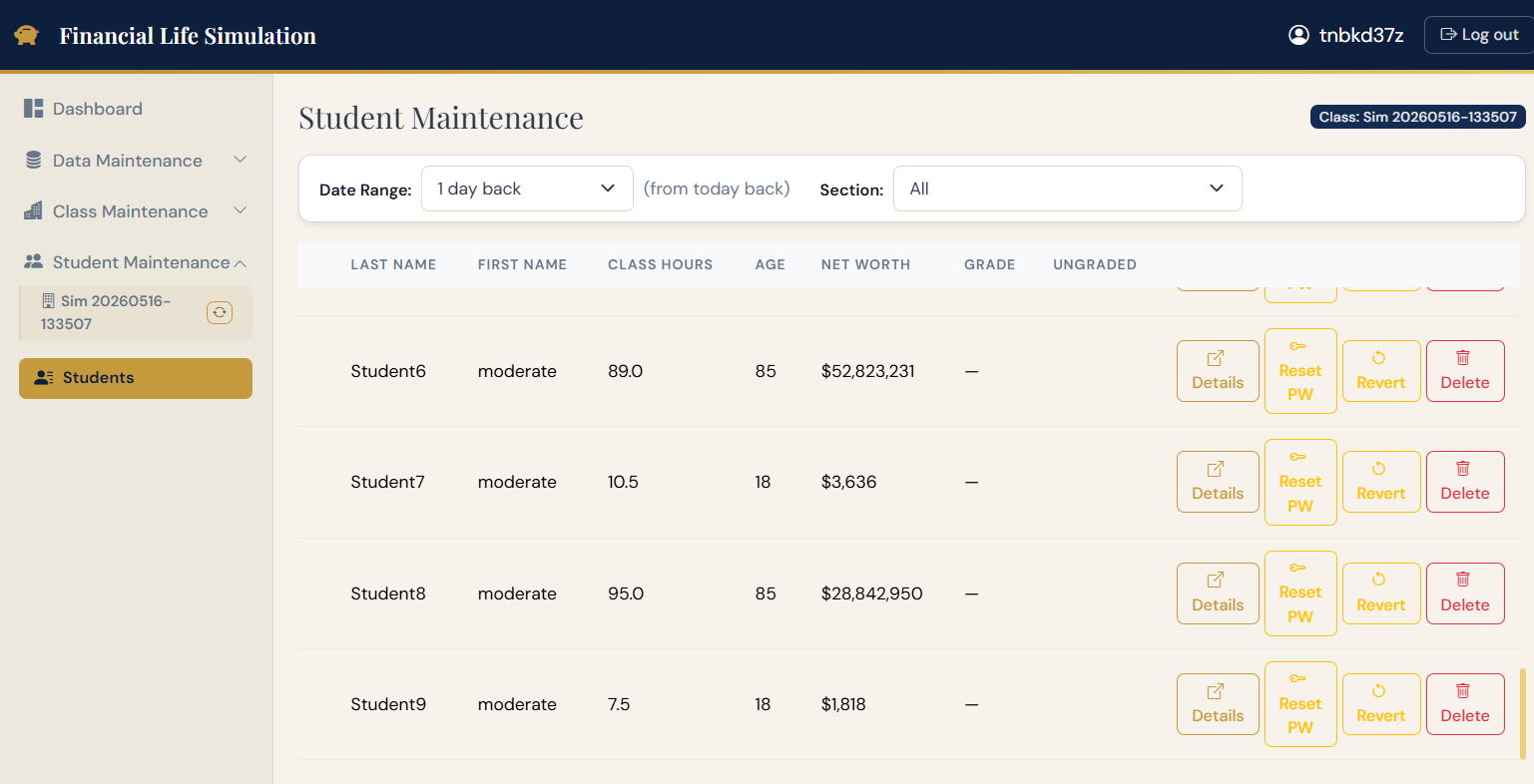
From the student-management view, you see where each student is in their simulated life, read their answers to reflection prompts, leave written feedback, and grade as you go. The feedback the student sees is the feedback you wrote.
Bend the catalog to your curriculum
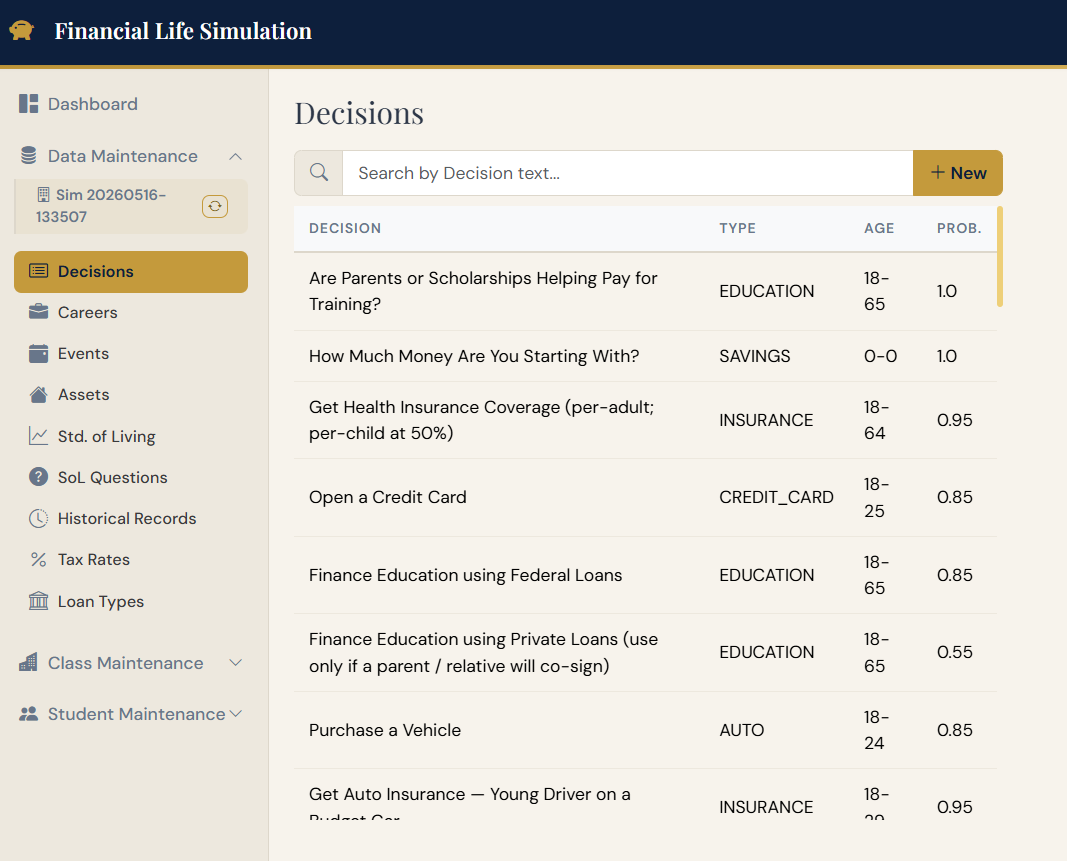
The app ships with a complete default set of decisions and events. From the Data Maintenance area, you can add to that catalog, edit any item, or remove what doesn't fit. If your curriculum spends a week on insurance, you can deepen the insurance decisions. If you skip retirement, you can dial it back.
Or just watch it happen.
Two videos covering the same ground as this page. The first is for teachers weighing whether this belongs in their course; the second walks through what a student actually does, and is worth watching from either side of the desk.
Is this a fit for your course?
What students actually do
See the price.
Pick what fits your class.
Three options, intentionally inexpensive.